YouTube Morphe
The best alternative to ReVanced, developed by inotia00.

About
YouTube Morphe is a newly developed YouTube ReVanced alternative by the RVX team. It has all the RVX features, and additionally, you get exclusive features like Themes.
The team behind it are the former contributors of the ReVanced project. These people, including the inotia00, left them and started a new Morphe.
The Morphe name represents morphing. It is for Android apps.
App Info
| Name | YouTube Morphe |
| Latest Version | 21.04.222 |
| Size | 38 MB |
| Developer | inotia00 |
| Updated on | January 31, 2026 |
Features
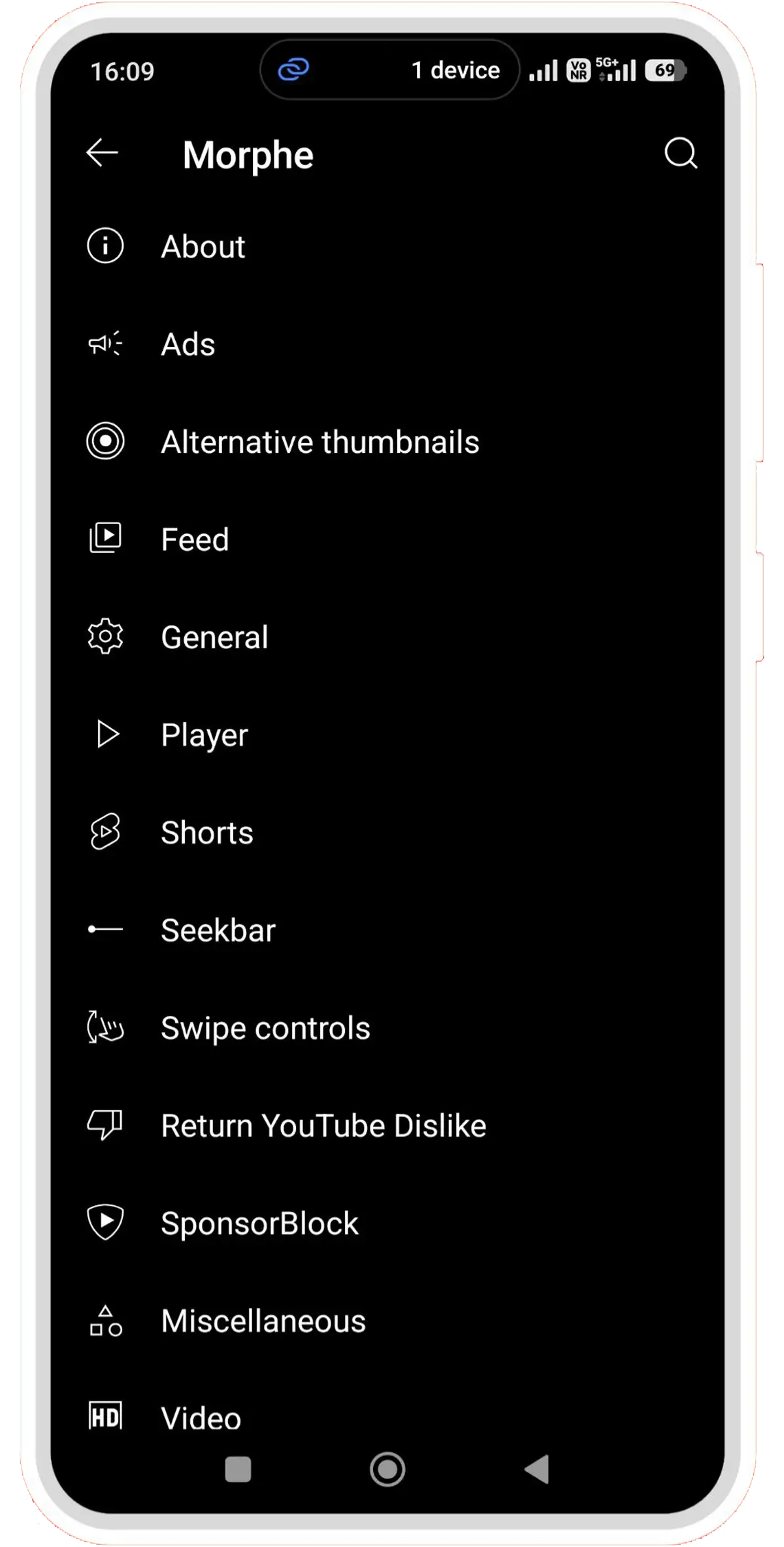
No Ads
Don’t wait for the skip button. YouTube Morphe automatically skips every advertisement and also hides banner ads and recommendations.
Alternative Thumbs
No clickbait thumbnail anymore. Just enable this option to know the real video by seeing the screenshot from the video.
Feed
Customise your feed with the YouTube Morphe app and enjoy the interference-free browsing experience.
Shorts
The best option and the worst option anyone has in this generation. So, you can disable every short feature and even the entire thing.
Swipe Controls
Instead of tapping little buttons, you can swipe your finger up and down on the screen to adjust the volume or change the screen brightness. It’s super easy!
Show Dislikes
This mechanism is completely run using the RYD (Return YouTube Dislike) project. It allows users to see the dislike count on the video.
Sponsorblock
Many of the YouTubers talk about the sponsors and recommendations. If you don’t want them to show, simply enable this feature to skip.
Seekbar
The best seekbar is one that shows the thumbnails of the actual video. Just swipe the red bar at the bottom to know what’s coming next.
Themes
Change the colour palette of the YouTube UI with the themes patch. However, you need to use this feature before making the app.
Download
Morphe Manager allows every Android user to make their own YouTube Morphe APK; however, someone who only knows how to perform this complete procedure is an Android geek.
So, not possible with everyone. That is the reason we provide direct apk files to install.
How do you install YouTube Morphe APK on Android?
Step 1. Download YouTube Morphe APK.
Step 2. Download MicroG from the above link.
If you have installed MicroG before, skip step 2.
Step 3. Open your file manager and search for the above APKs and tap on them one by one.
If you have not installed APKs before, kindly enable the ” Allow from this source option.
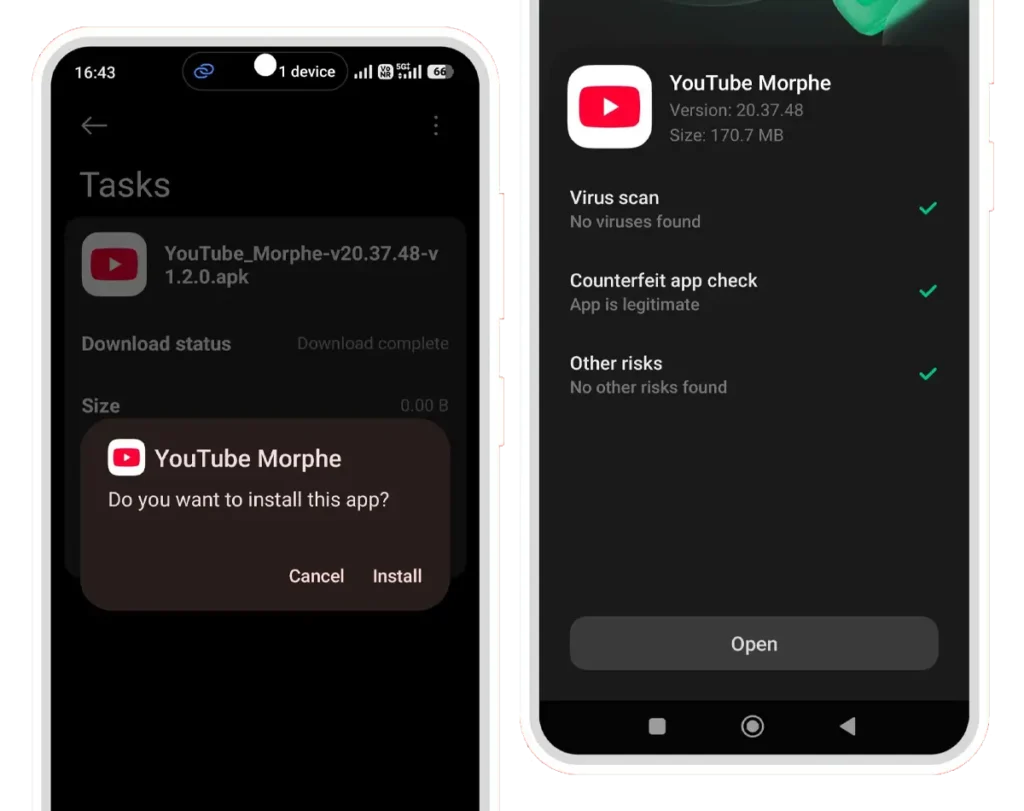
Step 4. Open the Morphe YouTube app.
Step 5. Log in with your Google Account.
Frequently Asked Questions
What is the YouTube Morphe App?
It is an alternative version of YouTube with more features and themes.
Who developed this YouTube Morphe App?
It is an open-source project developed by inotia00 and his team.
Can I make this app?
Yes, you can make this APK file using the Morphe Manager app.
Do we need MicroG?
Yes, MicroG is a must-needed app for this app to run.
Is it safe to log in with Google?
MicroG is open-source. So, Yes.
Can I use YouTube Morphe without a Google Account?
Yes, you can use it without logging in with your Google Account. But MicroG is a must.